Here We Go Again: Reviving My Logitech G600
I recently pulled my Logitech G600 out of an old dusty bin to get some use again. This mouse was released in 2012. A few years ago it was discontinued and cannot be purchased anymore. There are other brands that have been copying this design, but to this day you’ll still see folks saying they are clinging on to the G600 with their dear lives.
Like many others, I swore off World of Warcraft many years ago at this point. Some say you can never quit, only take long breaks (the same is true for many other MMOs). I haven’t played seriously since the release of Classic WoW was released in 2019. This time I assumed for good. Needless to say, WoW: Forever was announced and myself, like many others had that oh shoot, here we go again moment.
I told myself that I’m not going to boot that game up, won’t let my self get sucked in to the time warp that is that game again. So needless to say, I’m plugging in my G600. However, I found myself rebooting Guild Wars 2, a game which I enjoyed back in the day and haven’t played since about the release of Path of Fire.
This post is about my mouse, not my MMO habits, however. So I barely dusted my trusty G600 off and plugged it in. To my dismay, it was suffering from a few issues that I was starting to recall from the last time I made heavy use of it.
- Double clicks - This is a common complain with this mouse, the switches start to wear out and the mouse begins double clicking. Other potential issues are dust.
- The side buttons aren’t clicking properly - some of them require pressing really hard to get them to register. Most likely also dust.
- The skates on the bottom are gummed up and the mouse doesn’t really move well anymore

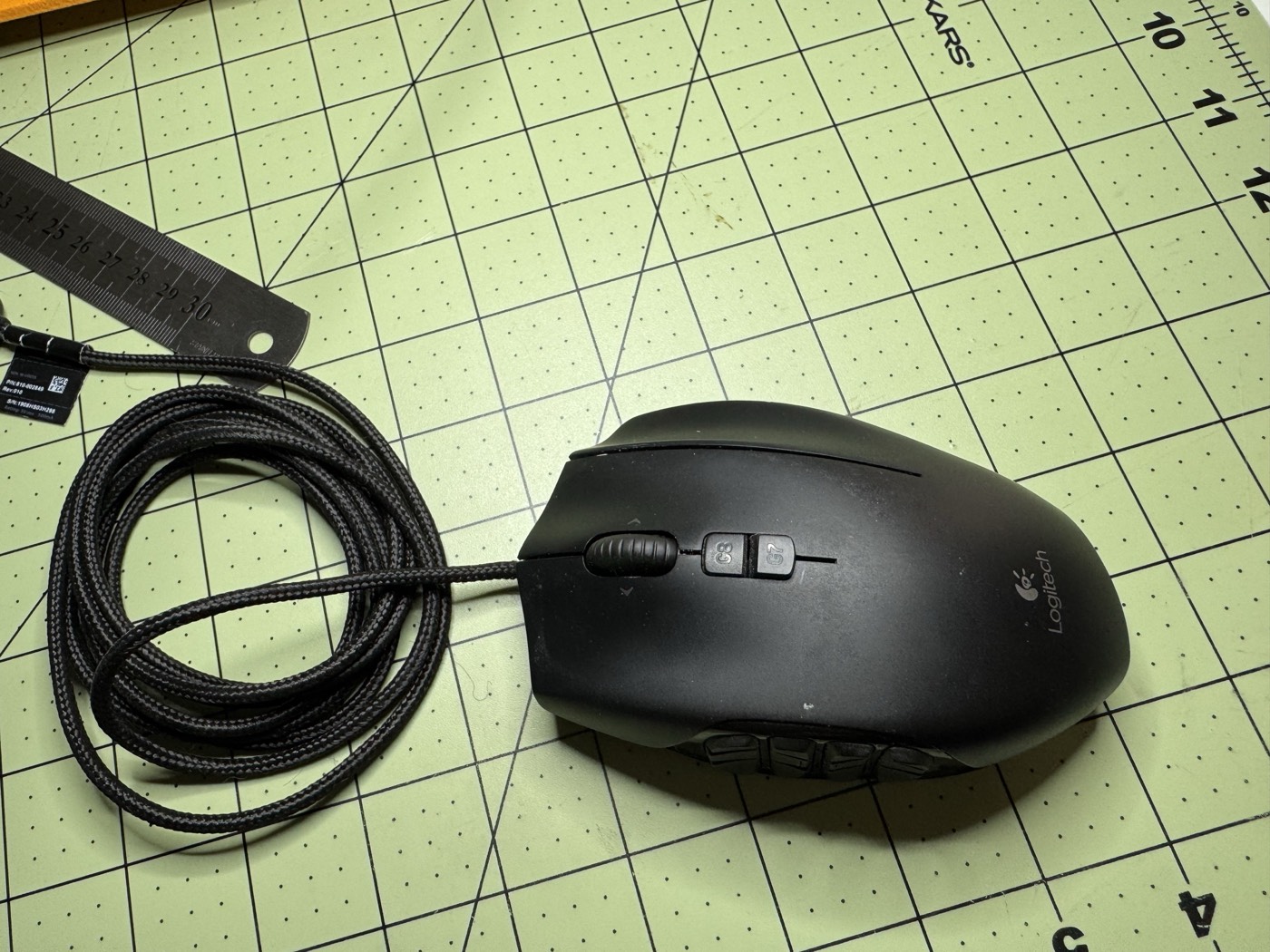
Quest of Repair
Fortunately, the G600 is very easily repairable. I wanted this post to show how I did it, and what materials I used to upgrade my mouse into something resembling brand new.
The research I did led me to a few things to fix all of the outstanding issues that I was facing. My assumptions were that it largely came down to dust and that a good cleaning would be all I’d need. That could potentially fix the double click issue, would most likely fix the side buttons, however, the skates were gummed up and would need replacing.
To take it one step further, I decided to actually replace the switches, which requires some soldering work. I most likely didn’t need to do this, but I wanted to because I like working with electronics and thought it would be a fun project.
The Breakdown
The first step is to simply peel off the old skates. This was pretty easy to do and I was able to peel it off with a flat head.
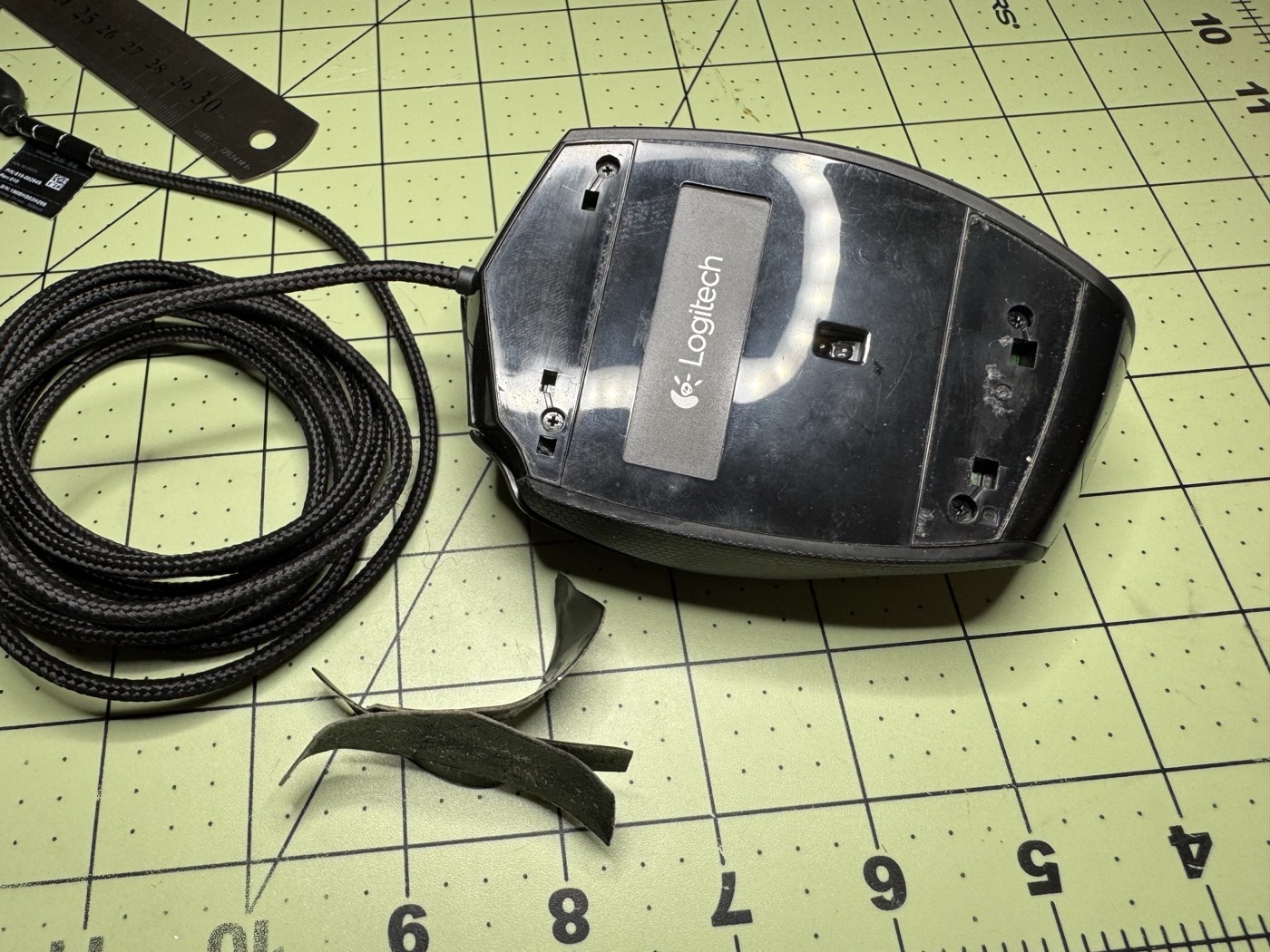
Once this is done, the mouse splits in two and is connected with a ribbon cable. The ribbon is removed from the bottom half. There is some glue or something keeping it tied in to the top.

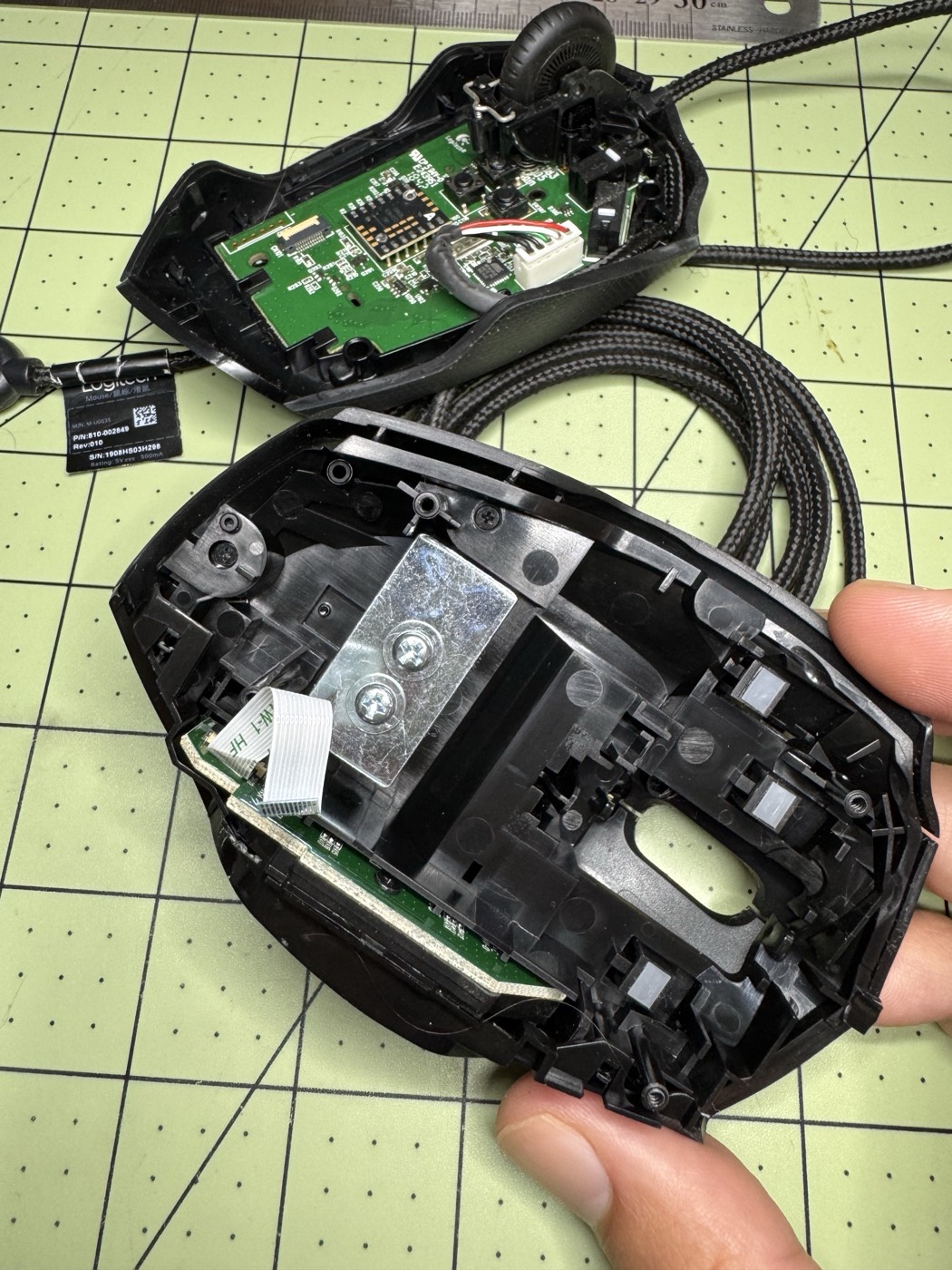
The top half of the mouse I found actually has some lead weights that are just fastened in there. This is what I assume made gave the mouse extra weight and a “premium” feel. I took these off. I found the mouse to be on the heavy side and didn’t find them necessary to keep in.
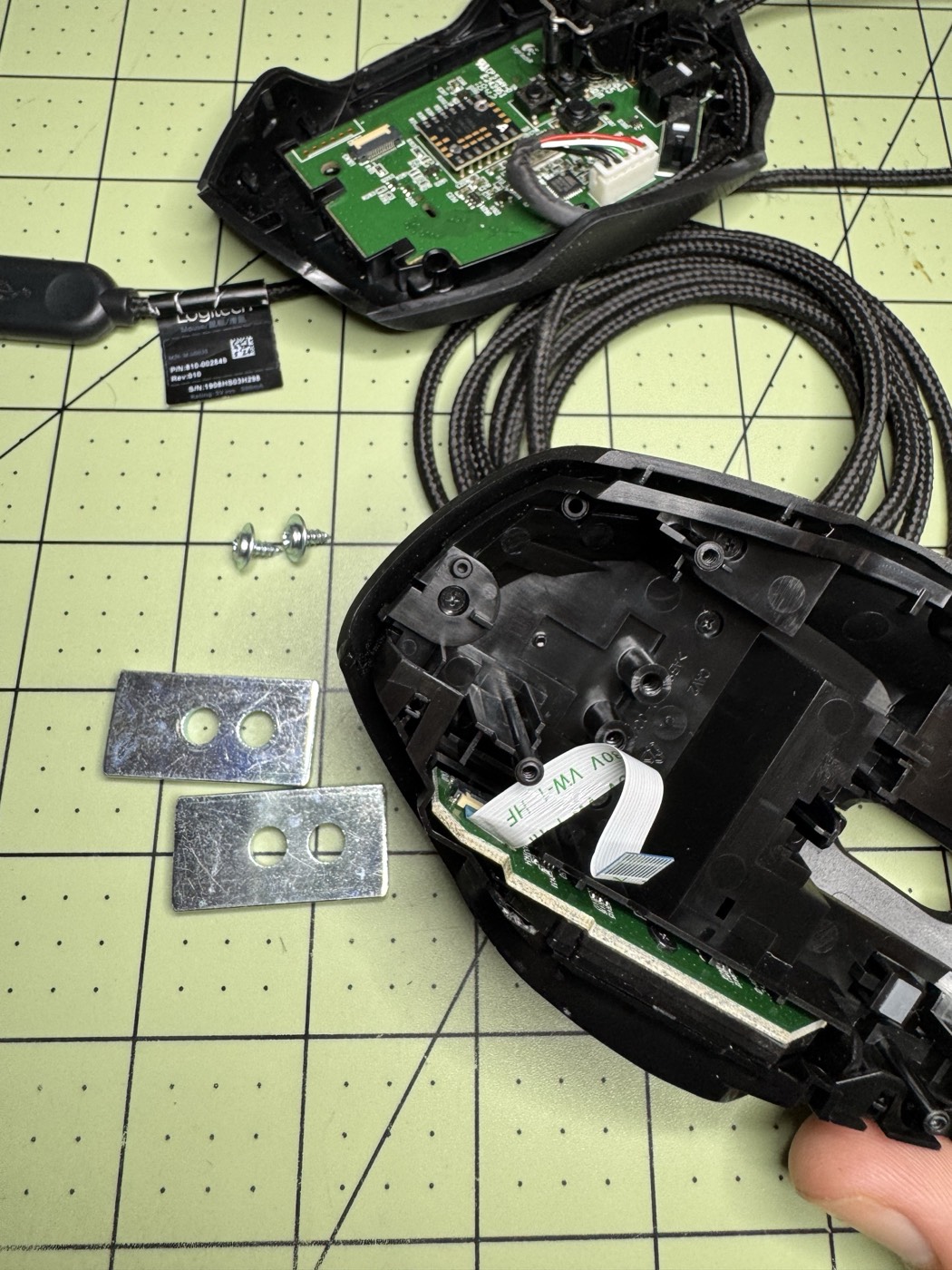
The mouse I found is quite easy to disassemble. The hardest part was figuring out how to pop off the side panels to get access to the side buttons. There were some not so obvious clips that you have to pop up to get it to slide off.


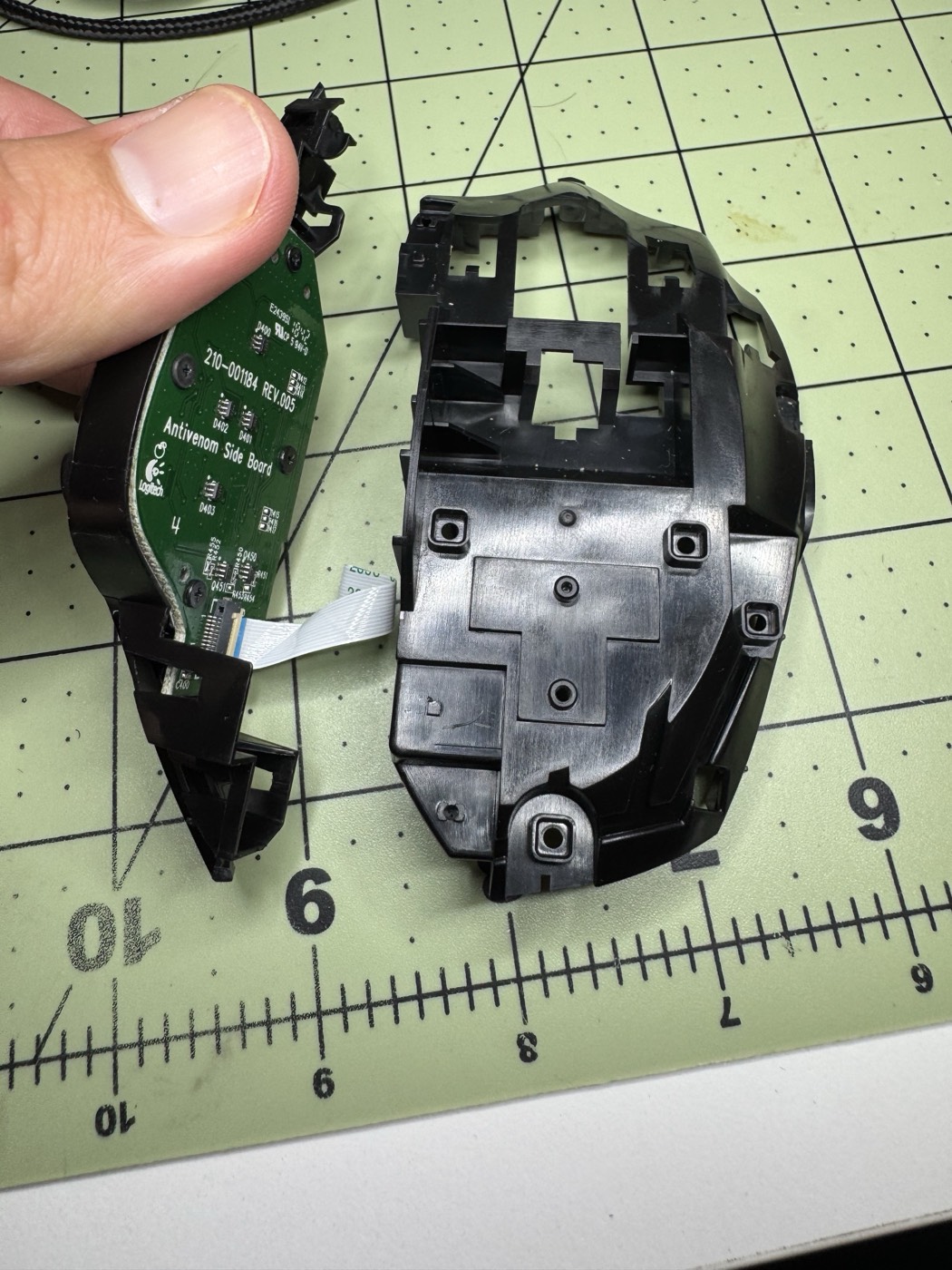
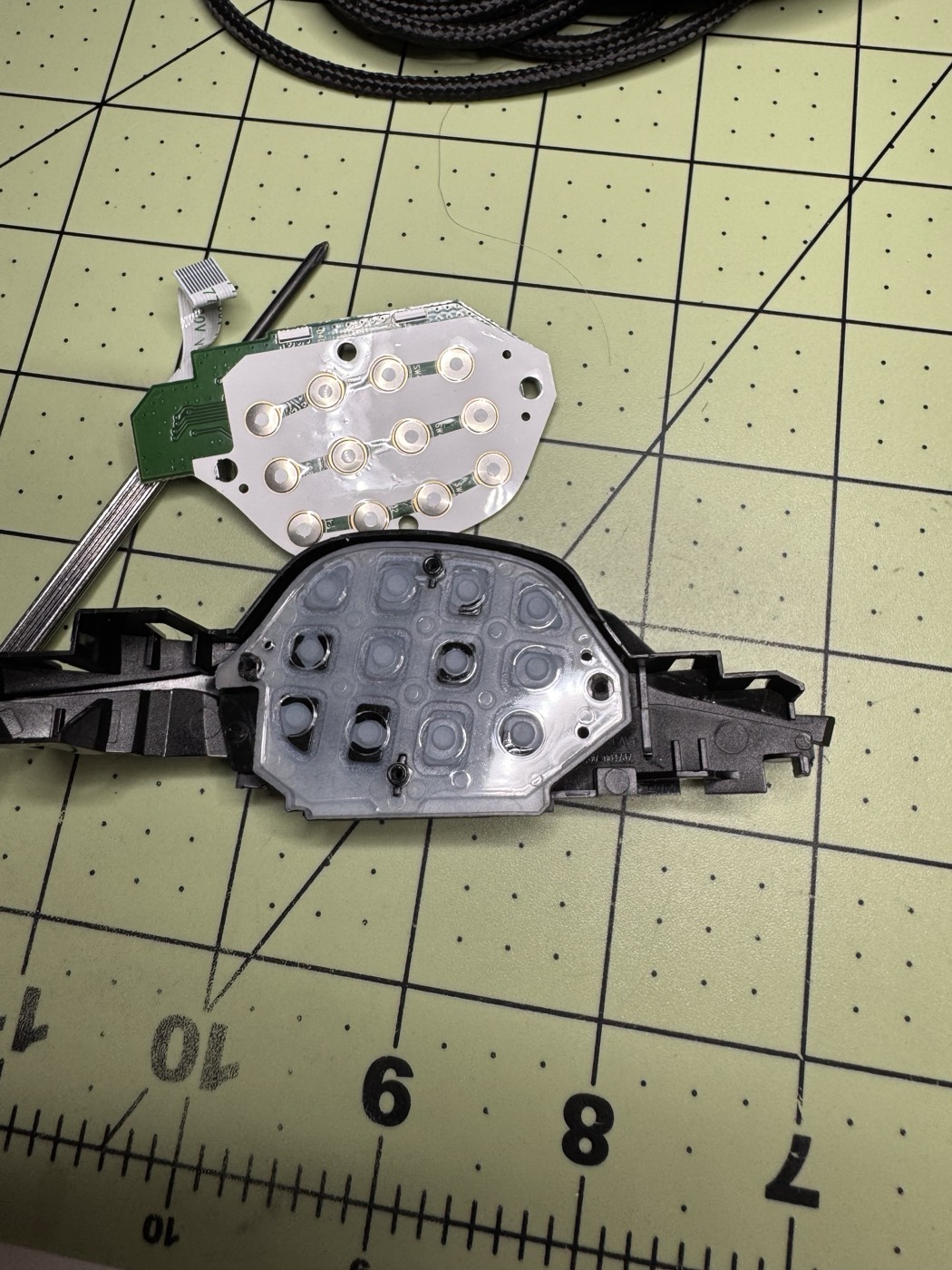
The membrane of the side buttons was actually quite clean. This was unfortunate as I was hoping to find it dirtier to give me confidence that that was the problem. Needless to say, I hit it with some contact cleaner and just pressed every button a bunch to really give them a workout. At this point, I’m hoping this was all I needed to do.

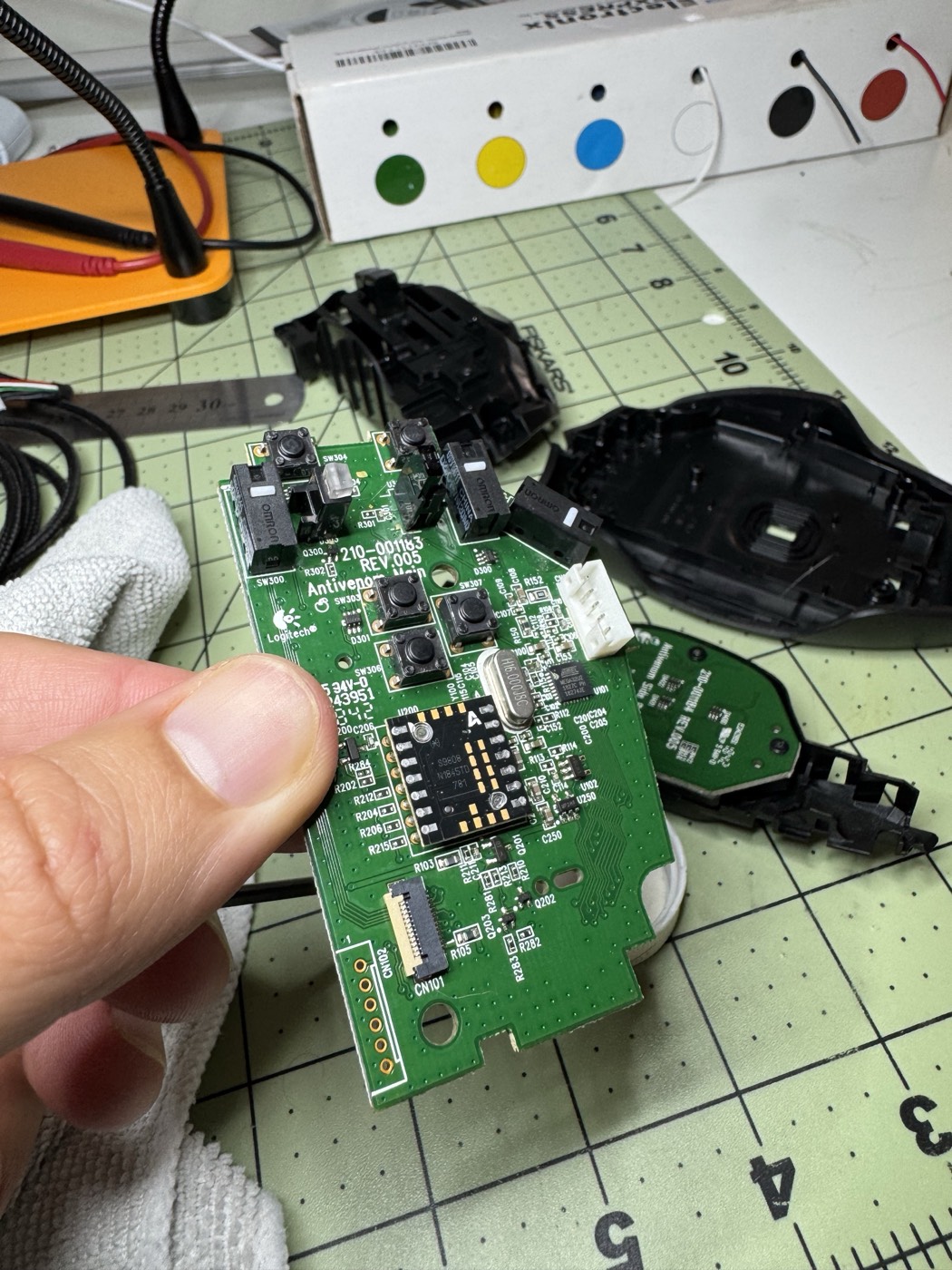
Next, I turned my attention to the PCB itself. This also pops out pretty easily and is held in with two little plastic clips. The center scroll wheel is held in by mostly friction. I also took the opportunity to hit the side of the wheel with some alcohol. It was also pretty gummy, most likely from old skin oils and dirty (gross).
Replacing the switches
The mouse uses mostly off the shelf buttons and switches. The three switches used in the mouse are Omron D2FC-F-7N (20M) mechanical microswitches. These have an actuation force of 0.59 ± 0.15 N (~60 ± 15 gf) and are rated at a lifespan of 20 million clicks. These switches have a moderate sound, medium tactility, and a light-medium click feel. Generally quite nice for this mouse.
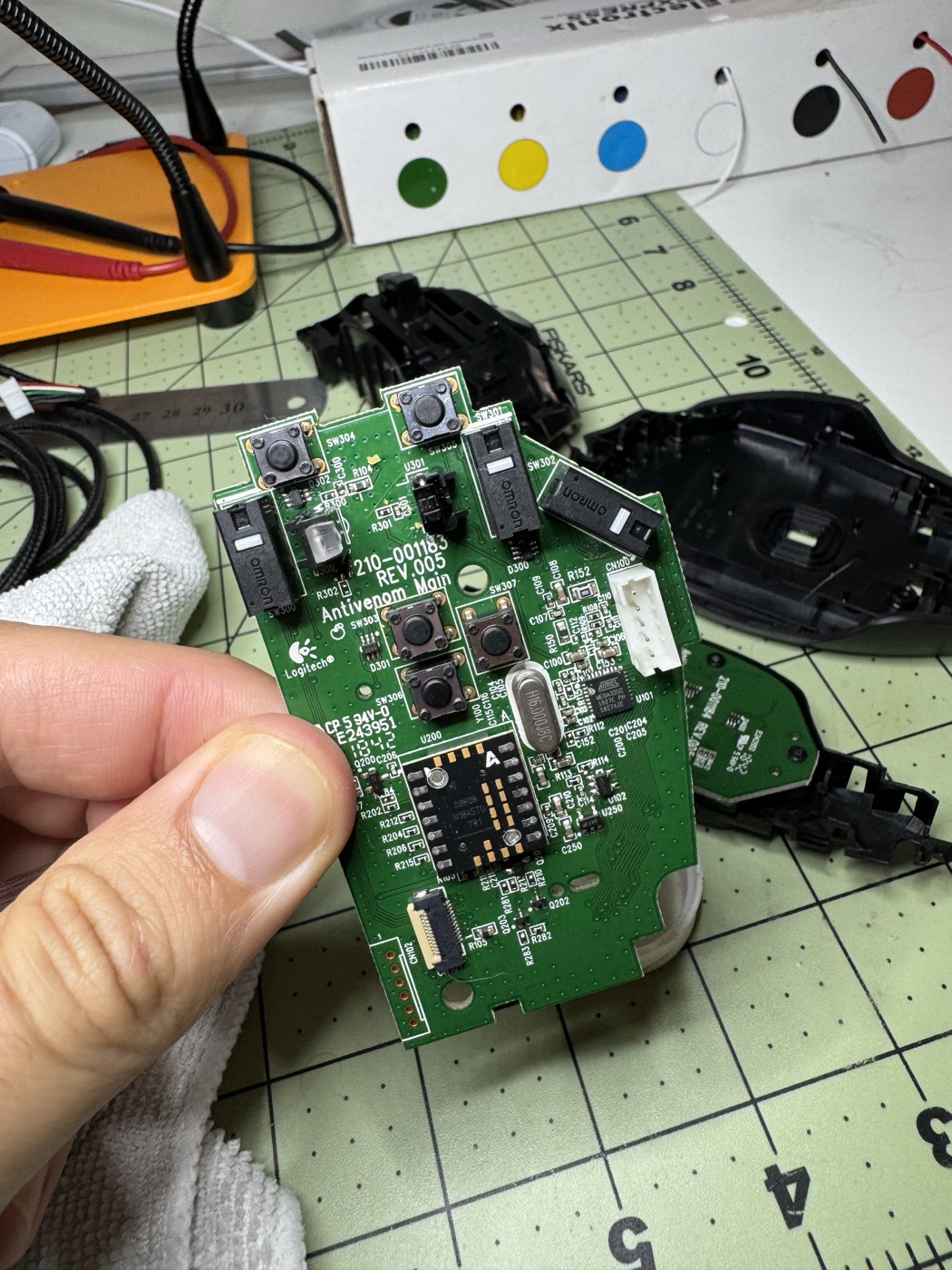
Generally, I’m happy with these if it weren’t for the dang double click. So either they failed early, there is just dust, or I hit the 20 million clicks (ha 😅).
I did a little research and decided to replace them with some Huano Silents. These are largely rated the same but have a ~50-60gf and a lighter click feel.
If you’ve never desoldered factory components before, it can be quite a bit of a pain. Especially if you don’t have a fancy desoldering gun, but just some flux, a desoldering pump, and some copper wire will get you there in the end.

I had the switches removed (and pretty much destroyed) - no going back.
Once the Huano’s came in from AliExpress, I soldered them in, and re-assembled the mouse. This was quick and easy. I held off on re-applying the skates until I was sure the switches were satisfactory.

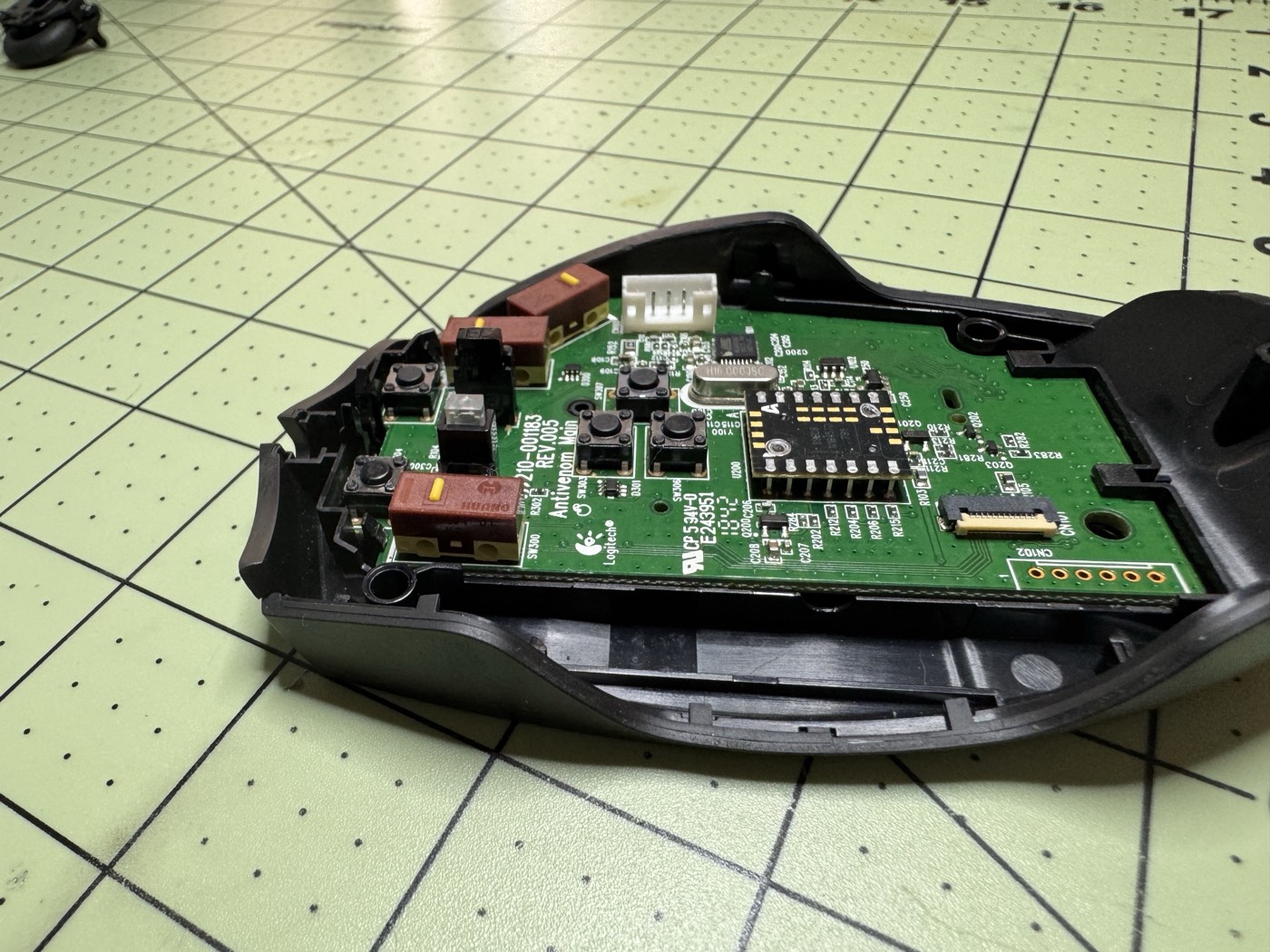

A week in and the mouse itself is fine. The side buttons were totally fixed, which is what I was most worried about. The main switches however, were not up to snuff. I found them to be too light and mushy. The ring finger G-Shift button was so mushy it was hard to discern that you were even clicking it. The primary left click was also struggling a lot. Just the weight of my finger resting on it was causing it to click. This was almost worse than double clicking :). My fingers eventually compensated for the lighter switches, but something felt off with the left click as the right click wasn’t nearly as bad. However, with both the left click and the G-shift having issues, I decided to buy a different set of switches that were not as light, even though I really liked how silent these switches were.
I broke down the mouse again and was back to desoldering the switches. Much easier this time. During this process however, I realized that the left click switch wasn’t flush with the circuit board. It must have raised a bit when I had the PCB upside down during the soldering process. Every millimeter matters here, which was most likely the root of the sensitivity issues I was having with the left click.
Needless to say though, as I was largely not happy with the “feel” of the silent switches and the actuation force being overall lighter, I was happy to swap them out with something that was a bit more tactile.
I went with the Kailh GM Red 4.0 switches. These are rated at a 65-70gf actuation force, so slightly heavier than the stack Omrons. They are rated at a 60M clicks! A medium-heavy click feel, strong tactility, and a crisp sound.

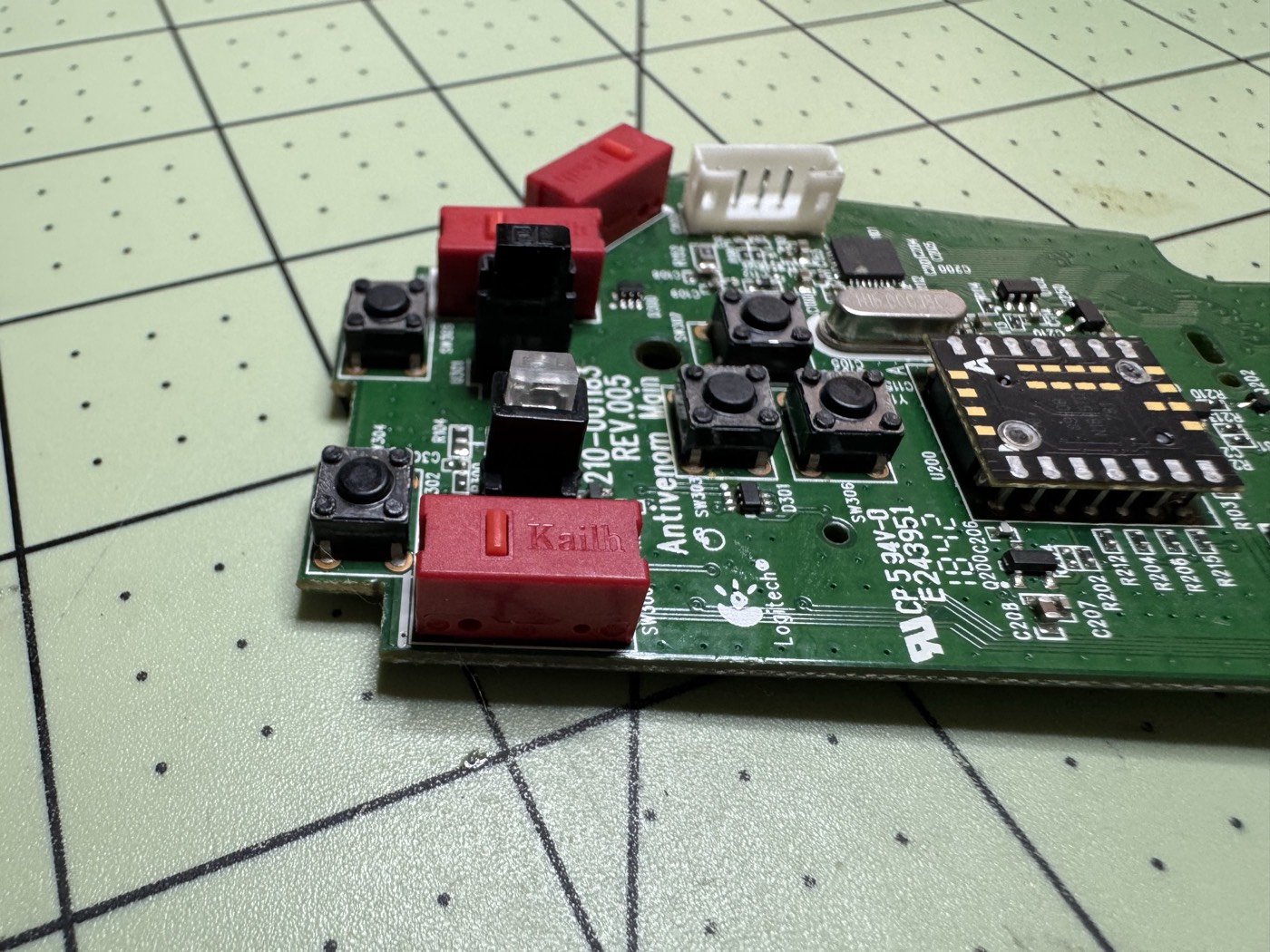
I soldered these in, making sure they were all perfectly flush, re-assembled the mouse, and voila, all of the clicking issues were gone. Each button has a nice feel and sound. I can tell when the G-Shift clicks. I also can rest my fingers on the buttons and do not get any phantom clicks.
Once I verified all of my issues were gone, it was time to apply the skates. I had originally picked up a set of stock G600 skates from AliExpress, but i was able to find some “aftermarket” ones, Hotline Games 3.0 Plus. These are rounded skates and look pretty modern paired against the stock skates. With these skates on, the mouse feels very smooth. It’s amazing how much of a difference a set of new skates make.
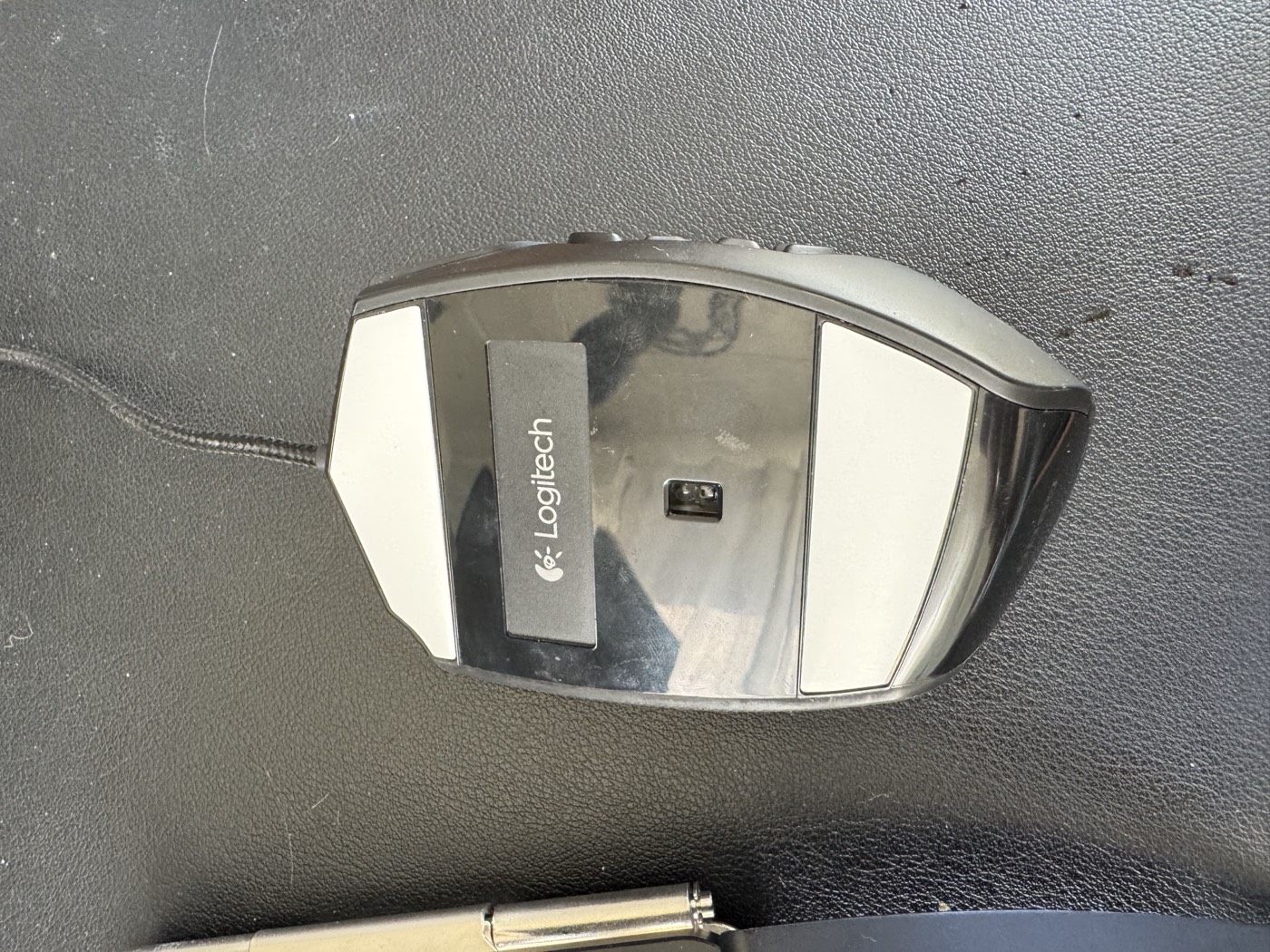
And just like that, I have a brand new mouse.
I’ve read that other folks will further mod their G600 with a paracord cable. These are lighter weight and ultra-flexible. I didn’t go this route as it felt more trouble than it was worth (oh but the switch replacement wasn’t, Nick?). Anyways, I don’t have any issues with the stock cable. It’s a tad stiff, but it doesn’t bother me as it’s long and doesn’t pull when I’m using it at all.
Switch Comparison
| Specification | Stock Omron | Huano Silent (White Dot) | Kailh GM 4.0 |
|---|---|---|---|
| Model | D2FC-F-7N(20M) | Huano Brown Shell White Dot | GM 4.0 Red |
| Actuation force | 60 ± 15 gf | ~50–60 gf | 65–70 gf |
| Lifespan | 20M clicks | 20M clicks | 60M clicks |
| Sound | Moderate | Very quiet | Loud, crisp |
| Tactility | Medium | Soft/muted | Strong, snappy |
| Click feel | Light-medium | Very light | Medium-heavy |
| Pins | 3 | 3 | 3 |
BOM
Here is the full bill of materials of what I purchased. I’ve provided links to the items that I purchased if it helps anyone. These are not affiliate links and are just plain Amazon or AliExpress.
I didn’t end up using the OEM Skates, but they were ultra cheap and figured it wouldn’t hurt to have some extras lying around incase the Hotlines wear out or I need to tear in to the mouse again. Notably, the Hotlines came with an extra set.
So had I only purchased the reds and the hotlines, it would have come out to $20.68 all in.
I only needed three switches, so now I have a number of extra switches lying around (hopefully for a future project :)).
| Item | Store | Pack size | Price |
|---|---|---|---|
| Huano Silent (White Dot) Switches | AliExpress | 10 switches | $9.11 |
| Kailh GM 4.0 Switches | Amazon | 4 switches | $8.69 |
| Hotline Games 3.0 Plus Skates | Amazon | 2 sets | $11.99 |
| Logitech G600 OEM Skates | AliExpress | 1 set | $1.99 |
| Total | $31.78 |
Conclusion
This was a fun little project that was unexpected. I’ve had that mouse for years now and it’s been sitting, unused for longer than I’d like to admit. Never in 2026 did I think I would be repairing it, but here we are. I’m hoping this will give this mouse many more years to come and will be useful to someone looking to also repair their mouse.